
Ice Cream Shop Games for Kids
IDZ Digital Private LimitedEducational
4.644.00 Reviews
- Version
- 0.0.30
- Installs
- 10.00M
- Age Rating
- Everyone
Screenshots



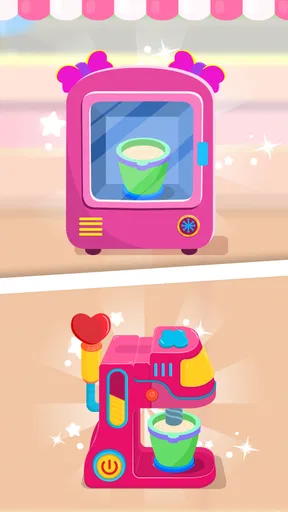




Our Review of Ice Cream Shop Games for Kids
 Analysis by Appyee
I found Ice Cream Shop Games for Kids to be the kind of game that makes sense within seconds: you prepare a frozen treat, shape the cone or dessert, and enjoy the simple satisfaction of completing a colorful order. It is an educational game aimed at children, but it does not feel like a lesson disguised as homework. The appeal comes from playful choices, easy interactions, and the familiar idea of running an ice cream shop.
My first impression was that the game is designed for short, relaxed sessions rather than long campaigns. A child can pick it up, make something, and stop without needing to remember a complicated story or a large set of rules. That makes it especially suitable for a quick activity after school, during a quiet moment at home, or when an adult wants to offer screen time with a little more structure than a completely open-ended video.
The game is free to install, with optional in-app purchases priced from $2.49 to $3.99 per item. It is rated for Everyone, and the developer is IDZ Digital Private Limited. The app has reached over 10 million installs and holds a 4.6 average from around 14 thousand ratings, so it has clearly found a broad audience among families looking for child-friendly play.
What to expect when you begin
The central idea is straightforward: this is an ice cream maker game for children built around the fun of creating a frozen dessert. Instead of asking a child to master a difficult puzzle or follow a long sequence of instructions, it puts the focus on choosing, arranging, and finishing an appealing treat. The setting does a lot of the work because ice cream is instantly understandable. A child does not need much explanation before wanting to try.
I would describe the experience as guided creative play rather than a traditional educational course. The learning value comes through following an order, making choices, coordinating touches, and seeing a result appear. Those are small skills, but they matter for younger players. The game gives them a clear beginning and end to each activity, which is more satisfying than an app where the child simply taps around without knowing whether anything has been completed.
That simplicity is also the main reason I would not recommend it to every player. Older children who want strategy, competition, exploration, or a demanding progression system may find it too gentle. It is not trying to replace a serious cooking simulator, a number-learning app, or a puzzle game with increasingly difficult stages. Its strength is the immediate, low-pressure fantasy of making ice cream.
The educational category should therefore be understood in a practical way. I would not open it expecting formal reading exercises or a structured curriculum. I would choose it when I want a child to practice attention and simple decision-making inside a friendly theme. Compared with a coloring app, it offers a clearer task and a finished product. Compared with a conventional educational worksheet app, it feels more playful and less instructional. Compared with a full restaurant-management game, it is much easier to enter and much less demanding.
The first few minutes are the important test
For a first-time user, the best approach is to sit nearby for the opening activity rather than handing over the device and walking away immediately. I found that a child can usually understand the basic purpose quickly, but the first interaction is also the moment to explain that not every visible choice has to be used at once. A short demonstration helps the child focus on the current task instead of tapping every attractive element on the screen.
I also recommend holding the device in a stable position and giving the child room to use one finger accurately. Young players often rush when the screen is colorful, and a missed tap can look like a broken game when it is really just a touch that landed slightly away from the intended area. That small bit of adult guidance can make the first session feel successful rather than frustrating.
There is no need to plan a long play period. In my experience, the game works best when treated as a compact activity: start with one creation, let the child finish it, then decide whether another round still feels enjoyable. That rhythm keeps the experience fresh and makes it easier for an adult to include it in a normal day without turning it into an extended routine.
Setting up a comfortable first session
The technical entry point is fairly accessible. The current version is 0.0.30, and it requires Android 6.0 or later. That makes it suitable for many older Android devices, although the actual comfort of play will still depend on the phone or tablet’s screen size and responsiveness. A larger tablet display is more pleasant for small hands because the child can see the dessert clearly and make more precise selections.
Before the first session, I would check the device’s sound level and notifications. This is not a game that needs a loud volume to make sense, and lowering the sound can make it easier for a child to concentrate or for an adult to keep the activity calm in a shared room. Turning off unrelated notifications is also useful because a message appearing over the play area can break the child’s attention at exactly the wrong moment.
The game is free, but the optional purchases deserve a quick conversation before a child plays alone. The individual items range from $2.49 to $3.99, so I would not leave purchasing decisions to a young player who may assume that tapping an attractive option is part of the game. The safest everyday setup is to use the device’s purchase controls and explain that some choices may require an adult’s decision. That is a general family habit worth applying here, especially because the theme naturally encourages children to want more decoration or variety.
I like that the age rating is Everyone because it matches the gentle premise. Still, an age label is not a substitute for knowing the child. Some children enjoy repeating the same creative action, while others need a stronger challenge to stay interested. I would introduce this game to a younger child who likes pretend shops, food play, and visual activities. I would be more cautious with a child who becomes bored quickly unless the adult is willing to turn the activity into a small conversation about choices and results.
A simple routine that makes the game work better
My preferred setup is to let the child choose the device, sit comfortably, and begin with one task rather than exploring every screen. I ask what kind of treat they are trying to make, what choice they want to make first, and whether the finished result matches what they expected. Those questions add useful language and reflection without turning the game into a test.
A helpful tip is to let the child complete the action independently after the first demonstration. It can be tempting to guide every tap, especially when the child hesitates, but the sense of accomplishment comes from making the decision and seeing the result personally. I would only step in when the child is genuinely confused or when a touch is not registering.
Another useful habit is to stop after a completed creation if the child begins tapping randomly. That behavior usually means the activity has reached its natural end, not that the game needs more explanation. Ending on a finished result is better than pushing through a tired session and leaving the child with the impression that the game is repetitive or difficult.
Reaching the first meaningful success
The first real success is not simply opening the game. It is completing one ice cream creation from the initial choice through the final presentation. I found that this moment gives the child a clear reward: something they made is now visible as a finished treat. That is more meaningful than collecting an abstract point because the result connects directly to the pretend-shop idea.
For an adult helping a first-time player, the most effective sequence is short. First, identify the current request or activity. Next, point out the available choices without selecting them for the child. Then wait while the child makes one decision. If the result is not what they expected, treat it as another attempt rather than a mistake that needs correcting. The game’s relaxed theme makes experimentation feel natural.
This is where I see the strongest educational value. The child has to notice what is being asked, select an option, coordinate a touch, and recognize completion. None of those steps is difficult alone, but together they create a small workflow. The game is especially useful for children who enjoy pretend play but need encouragement to follow an activity from start to finish.
One non-obvious advantage is that the finished dessert gives adults an easy opening for conversation. You can ask the child to describe the result, compare two choices, or invent a customer who would like it. That turns a few minutes of tapping into vocabulary practice and imaginative play without adding another app or worksheet. I would not force this conversation every time, but using it occasionally gives the game more value than simply watching the child repeat the same actions.
How to handle the first moment of hesitation
If the child stops and looks at you, avoid taking over immediately. Ask what they think the screen wants them to do, then let them try. If the child taps the wrong place, calmly suggest looking for the item that matches the current step. This keeps the focus on observation instead of making the adult the person who completes the order.
Precision can be the first small obstacle on a phone. A child may understand the task but struggle to touch a particular area accurately. In that case, rotating to a larger screen or encouraging slower taps is more useful than repeating the instructions. This is one reason I see the game as better suited to a tablet when the child is very young, even though an Android phone can be convenient for short sessions.
Another practical tip is to avoid judging the result by adult standards. The point is not to produce a realistic dessert or follow a professional recipe. The child’s meaningful success is completing the interaction and understanding the connection between a choice and the visual result. If an adult focuses too much on doing it “correctly,” the activity loses the playful confidence that makes it work.
Common confusion and the limits of the experience
The most likely confusion is expecting a complete restaurant simulation because the game uses an ice cream shop setting. I would not approach it as a business-management title with staffing, budgets, customer queues, or detailed recipes. Its shop theme is a playful frame for making treats. If your child specifically wants to manage a busy café or make strategic decisions over many sessions, a more advanced cooking or management game would be a better choice.
It is also easy to assume that an educational label means the game will teach a defined academic subject. That is not how I experienced it. The useful learning is informal: following steps, making choices, improving hand control, and talking about the outcome. Parents looking for phonics, arithmetic practice, or a measurable lesson structure should choose a dedicated learning app instead.
The free-to-play model may create another point of friction. Because optional items cost between $2.49 and $3.99, a child may notice choices that are not part of the basic free experience and ask to use them. I would explain the purchase boundary before play begins. If the child is too young to understand that distinction, supervised use is the sensible option.
Repetition is both a strength and a weakness. Younger children may enjoy making similar treats several times because repetition helps them feel confident. Another child may decide after one or two rounds that the novelty has gone. I would not interpret that as a failure. This is best treated as a small activity in a wider collection of play options, not as the only game a child needs.
Compared with a coloring game, this title gives the child a more defined sequence and a stronger feeling of serving or completing something. Compared with a recipe app, it is less concerned with real ingredients and more accessible to very young players. Compared with open-ended sandbox play, it offers more direction but less freedom. That trade-off is important: children who need a clear prompt will benefit, while children who want unlimited experimentation may prefer a drawing or building app.
Who should choose it, and who should skip it?
I would recommend it to families seeking a free, approachable educational game for younger children who enjoy food themes and pretend-shop play. It is a good candidate for a first independent activity because the goal is easy to explain and the outcome is visible. It also suits adults who want to sit with a child for a few minutes and turn a simple game into a conversation about colors, choices, and sequence.
I would skip it if the priority is advanced challenge, competitive scoring, a long narrative, or formal academic instruction. Older children may outgrow the gentle pace quickly. I would also look elsewhere if you want a cooking game that teaches real preparation methods, because the appeal here is imaginative interaction rather than practical kitchen training.
The developer, IDZ Digital Private Limited, has positioned the game in a broad family-friendly space, and the Everyone rating supports that approachable presentation. Even so, the best match depends on the child’s temperament. A patient child who enjoys repeating a pleasant activity may get plenty from it. A child who needs constant novelty may need an adult to add conversation or switch to another type of game after the first successful creation.
What to do after the first successful creation
Once the child has completed one treat, I would not immediately focus on unlocking or buying anything else. Instead, let the child explain the choices they made. This turns the first success into a small review of the process: what came first, what changed, and what they liked about the final result. It is a simple way to reinforce memory and communication while keeping the activity enjoyable.
For a second session, try giving the child more control over the order of decisions. During the first attempt, an adult may have pointed out the next step. Later, step back and see whether the child can recognize what to do without help. This is a practical way to judge whether the game is supporting independent attention rather than merely providing attractive taps.
You can also connect the pretend shop to real life without making the game feel like homework. Ask the child to invent a flavor, name a customer, or describe which treat they would serve at home. If the child enjoys drawing, they could sketch the dessert afterward. These extensions are optional, but they are a useful trade-off: the game itself remains simple, while the adult can add depth when the child is interested.
Keep expectations realistic about progress. The game’s value is likely to come from repeated small successes, not from a dramatic skill transformation. I would use it as one choice among other activities and pay attention to whether the child remains engaged, follows the steps more independently, and talks about the results. Those are better signs of usefulness than trying to make every session longer.
My recommendation for a first-time family
If you are deciding whether to install it, I would say yes when you want a gentle ice cream-themed activity that a child can understand quickly. Start with supervision, complete one creation, explain the difference between free play and optional purchases, and then let the child decide whether to continue. That path gives you a fair impression without asking the game to be more complex than it is.
I appreciate that the experience has a clear emotional payoff: the child makes something appealing and can feel finished. The main limitation is that the same simplicity may reduce its long-term appeal for children seeking challenge. For me, that places it in the category of a reliable short-session game rather than a title I would expect a child to play for hours.
With its free entry, Everyone rating, broad install base, and accessible Android requirement, Ice Cream Shop Games for Kids is easy to try. I would recommend it most strongly for younger players who like colorful food activities and benefit from gentle guidance. Just keep the purchase settings under adult control and choose a different app when your goal is serious lessons, realistic cooking, or deeper game strategy.
Verdict
Strengths of Ice Cream Shop Games for Kids
- Simple controls make it easy for young children to play independently.
- Bright visuals and cheerful sounds keep the shop experience engaging.
- Creative topping choices encourage imagination and personal expression.
- Short activities suit quick play sessions without demanding long attention spans.
- Kid-friendly gameplay avoids complex rules, timers, or difficult challenges.
Limitations of Ice Cream Shop Games for Kids
- Repeated serving tasks may become boring after several play sessions.
- Some features or decorations may require in-app purchases to unlock.
- Frequent sounds and animations could be distracting for sensitive children.
- The game offers limited educational depth beyond basic shop role-play.
- Ads may interrupt play if the free version includes third-party advertising.
Other Releases by IDZ Digital Private Limited
View All
Kids Coloring Pages & Book
Educational4.3

Toddler Games for 2-3 Year Old
Educational3.6

KidloLand Kids & Toddler Games
Educational4.6

Coloring Games for Kids: Color
Educational4.6
Similar Picks in This Category
View All
Little Panda Policeman
BabyBus4.0

Monster Trucks Game for Kids 2
Raz Games4.1

Little Panda's Chinese Recipes
BabyBus4.4

Little Panda's Restaurant
BabyBus4.4

Little Panda's Ice Cream Games
BabyBus4.3

Baby Panda Care
BabyBus3.8
Frequently Asked Questions
What is Ice Cream Shop Games for Kids?
Ice Cream Shop Games for Kids is a colorful, child-friendly game that lets players run a virtual ice cream shop. Children can choose cones, cups, flavors, toppings, sauces, and decorations while preparing desserts for customers. The experience focuses on creative play, simple interactions, and entertaining shop activities rather than difficult challenges or complex rules.
Is Ice Cream Shop Games for Kids suitable for young children?
The game is designed primarily for children and uses bright graphics, straightforward controls, and easy-to-understand tasks. Most activities can be completed by tapping, dragging, or selecting ingredients, making it accessible for younger players. Parents should still check the store’s age rating and review the available settings before allowing children to play independently.
Does the game require an internet connection?
Many of the basic ice cream-making activities can usually be enjoyed without a constant internet connection, which is convenient for travel or offline play. However, certain features may depend on connectivity, including advertisements, optional purchases, updates, or external links. Availability can vary by device and version, so testing the game offline is recommended.
Are there advertisements or in-app purchases?
Ice Cream Shop Games for Kids may include advertisements or optional in-app purchases, depending on the version downloaded and the platform used. Ads can sometimes appear between activities, while purchases may unlock extra flavors, decorations, or remove advertising. Parents should review the app-store listing and enable parental controls to prevent accidental purchases.
What can children do in the virtual ice cream shop?
Children can create customized ice cream desserts by selecting different flavors, containers, toppings, syrups, and decorative elements. They may also serve virtual customers, complete simple shop tasks, and experiment with combinations without worrying about failure. The game encourages imagination and basic decision-making, although it is intended mainly for casual entertainment rather than structured learning.
Play our best games!


